
Waiting List Window
The Waiting List provides a mechanism for creating and managing a list of patients when no suitable, free slots are available in the Appointment Book. Once a slot becomes free, patients can be transferred from the Waiting List to the Appointment Book. The Waiting List should not be used for making general patient appointments, nor should it be confused with either the Waiting Room or a patient's Bookings window.
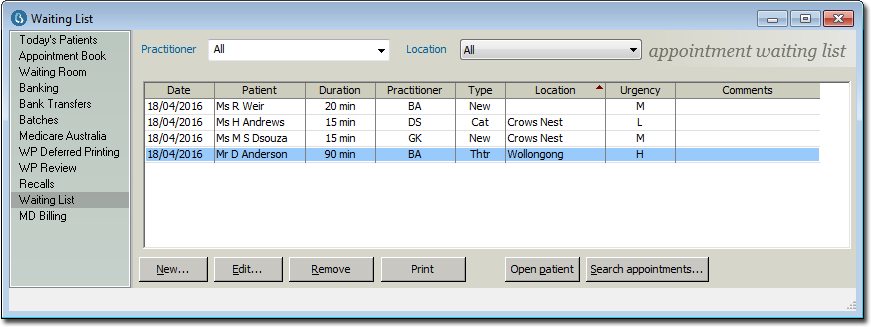
- Filter the list of waiting patients by Practitioner and/or by Location.
- Columns can be sorted by clicking the column header. In the example above, the data is
sorted alphabetically by Location, as indicated by the
 icon in the
column header. See Waiting List for more
information.
icon in the
column header. See Waiting List for more
information. Items of interest on this window New Add a patient to the Waiting List. Edit Edit the selected entry in the Waiting List. Remove Remove (delete) the selected entry in the Waiting List. Print Prints/Exports a Waiting List report. Open patient Open the record of the selected patient. Search appointments Search the Appointment Book for free appointment slots.