
Creating and Deleting Service Item Lists
Procedure
-
Select Setup > Lists > Service Items. The Service Item Lists window appears.
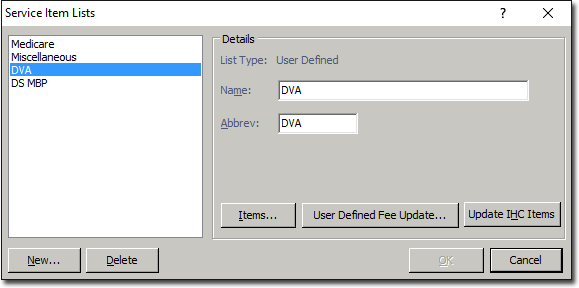
- To delete a Service Item List, select the list from the left menu and then click Delete You will be prompted to confirm this action.
- To create a Service Item List, continue now to Step 2.
-
Click New The New Service Item List window appears.
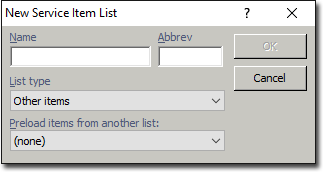
- Enter a Name and Abbreviation for the new Service Item List.
- (Optional) Select a List Type to assign to the new list from the associated drop-down list. If no other list types are available, the default list type of 'Other Items' will be selected.
- (Optional) To pre-load items from another list, select the list from the associated drop-down list.
- Click OK to save your new Service Items List.