
To Manually-Receipt a Claim
Before you begin
Procedure
-
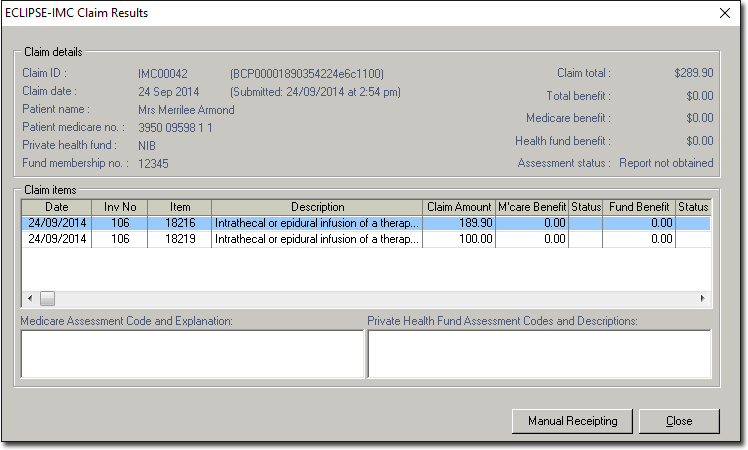
In the ECLIPSE-IMC Claim Results window, click
Manual Receipting.
-
For claims that do not have a status of either
Finalised or Awaiting Payment
Report, the following message is displayed:
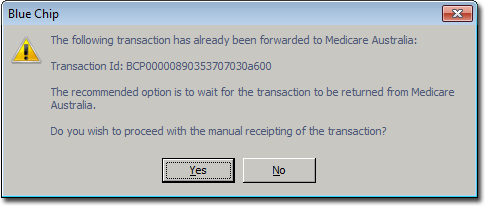
- If you click No, the process is cancelled and you are returned to the ECLIPSE-IMC Claim Results window.
- If you click Yes, the New Receipt window is displayed(see Step 3).
-
For claims that have a status of Awaiting Payment
Report, the following message is displayed:
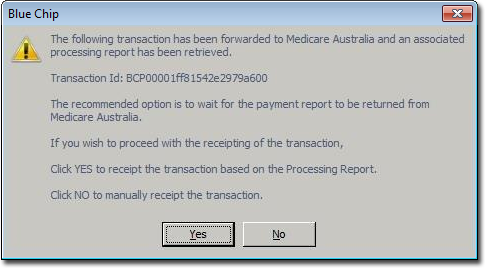
- If you click No, you will be presented with New Receipt window to manually receipt the claim (see Step 3).
- If you click Yes, Bluechip automatically creates a receipt for the claim based on the amount details given in the Processing Report and finalises the claim, after which the status of the claim reads Manually Receipted.