Procedure
-
Open the Patient's Record.
-
Select Accounts from the Margin Menu.
-
Select the account you want to record a write-off for.
-
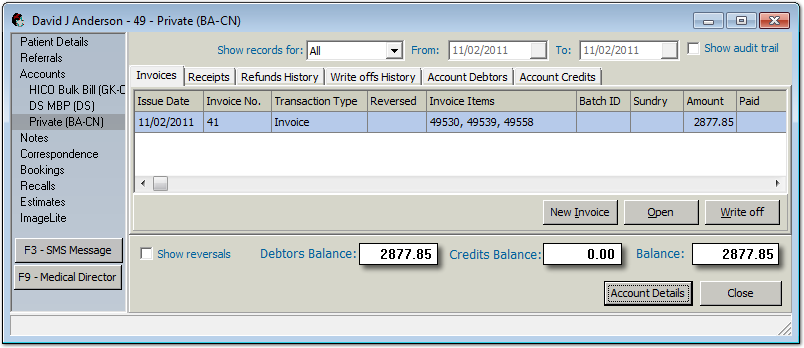
Click Open existing account. The
Account window appears.
-
Select the invoice to be written off.
-
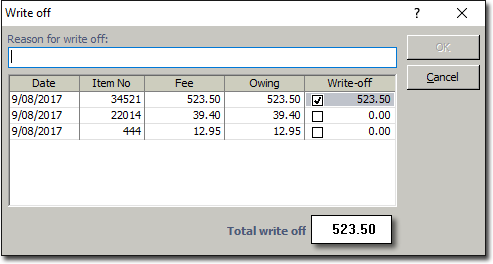
Click Write Off. The Write Off window
appears.
-
Enter a reason why you are writing off the invoice.
-
Indicate the amount you want to write off by either:
- Writing-off the total amount by ticking the check box in the Write Off field, or
- Enter the amount you want to write off in the Write Off field.
-
Click OK.
Results
The details are saved and Bluechip returns to the Account window.The written-off
amount in displayed in the Invoice window, Write-off
column.
All write-offs are reflected on the Write-Offs history tab.
