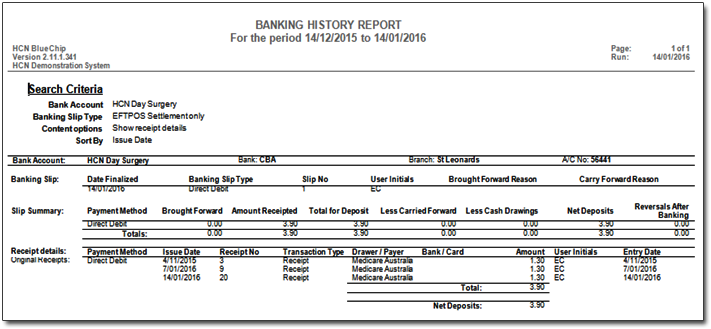
IMC Claim Payment Report
The IMC Claim Payment report is similar to the Medicare Claim Payment Report, and allows users to view details of IMC payment reports and lists the claims covered for each 'payment run'.
Before you begin
As a payment run can cover multiple claims, and Bluechip generates a separate receipt for each claim, the IMC Claim Payment Report can assist you with bank reconciliations.
This report provides the details of each payment made available by the Medicare for download using Medicare Online, within the specified period. For each payment, you can see the Medicare Run Number, date, method and amount of payment, and the bank account into which the payment was made. Also for each payment, listed below the payment details, are the appropriate details for the claims that the payment was allocated to.
Procedure
-
In the IMC Online Claims window, either:
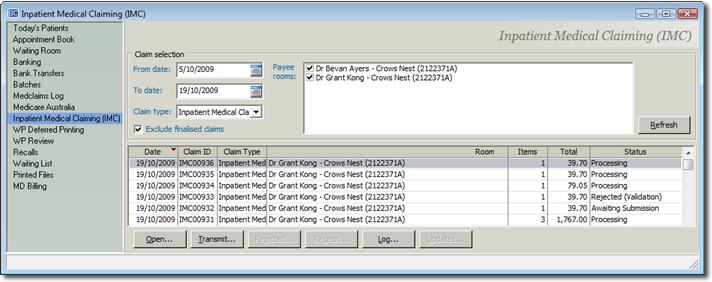
- Click
 Print
Print - Press Ctrl + P
- Select
- Click
-
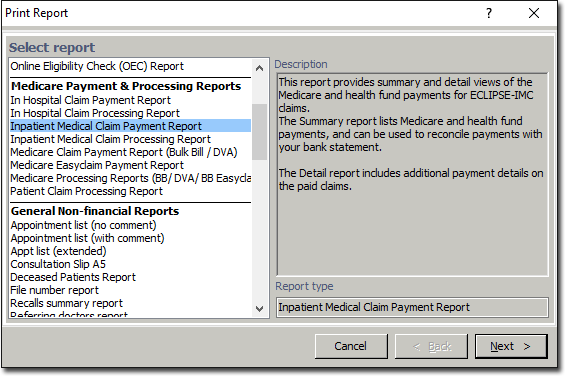
In the Print Report window, select Inpatient
Medical Claim Payment from the Medicare category in the list of
available reports, and click Next.
-
In the Print Medicare Claim Payment window:
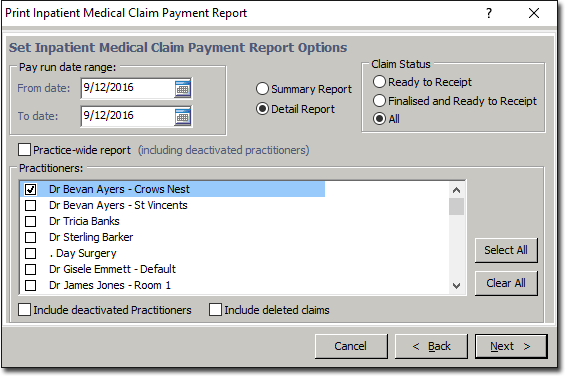
- (Optional) Select a date range for the report. The default report will display only the current day's data.
- (Optional) Indicate whether you want to include deactivated rooms.
- (Optional) Indicate whether you want to include delete claims.
- Select which Practice Rooms (practitioners) you want to report on. You must select at least one to proceed.
Results