Invoicing an Associated Item
Before you begin
Procedure
-
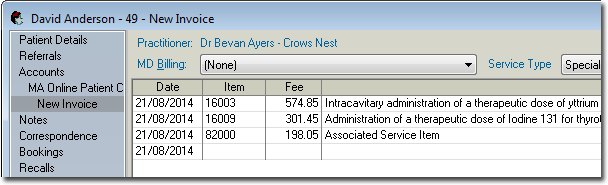
Create the invoice as normal. When adding
service items, add the Associated Item last. Upon adding the Associated Item to your
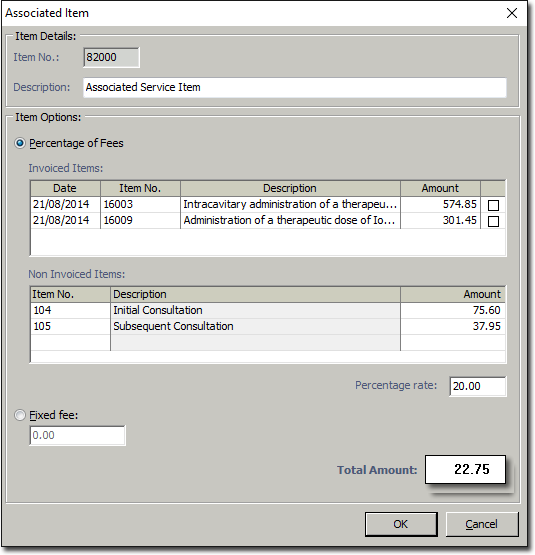
invoice, the Associated Item window appears.
-
Within the Item > Options section, indicate whether you want to charge either:
- A Percentage of Fees, or
- A Fixed Fee If you elect to charge a Fixed Fee, select
the Fixed Fee option, enter the value of the fixed fee,
and then click OK to confirm and return to the invoice
window. However, if you elect to charge a Percentage of
Fees, select the Percentage of Fees
option, after which you must also indicate either (or both) of the following;
- Via the Invoiced Items section, select the invoiced items you want to base your percentage calculation on.
- Via the Non Invoiced Items section, insert any Service Items you want to base your percentage calculation on.
- Within the Percentage Rate text box, enter the percentage you want to charge. This field accepts numerical values, and it is not necessary to include the % symbol.
- Click OK to confirm your selections.
Results