Running the Backup Utility
Become familiar with these instructions before commencing a backup for the first time.
Before you begin
Tip:
Also read the Backing Up Documents for backing up your ManageEzy documents database and/or ImageLite documents folder
before you begin, so that you understand how to include these in the backup
procedure.
About this task
The following steps outline the basic instructions for performing a Bluechip backup.
- The Backup utility does not support incremental backups.
- Backups can be performed while Bluechip is running, although you should close all instances of Bluechip. Restore requires Bluechip to be closed.
- The Backup utility can backup documents scanned into patient records via either
ManageEzy and/or ImageLite.
- ImageLite documents should always be included with any backup.
- ManageEzy documents must be backed up separately to the Bluechip database.
Procedure
-
Access the Backup utility:
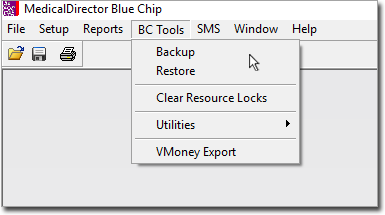
- From within Medical Director Bluechip. When run from within
Bluechip in this way, the
Backup utility can only be run on the Bluechip server computer.
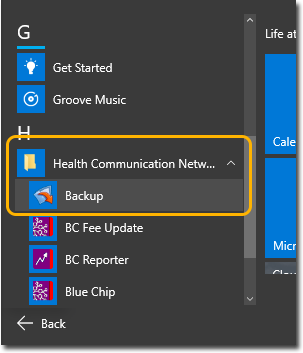
- From the Windows Start Menu.
- From within Medical Director Bluechip. When run from within
Bluechip in this way, the
Backup utility can only be run on the Bluechip server computer.
-
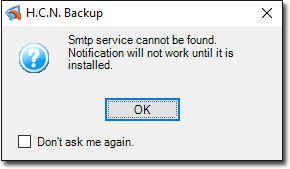
The Backup utility is capable of sending you an email notification when it has
completed. If the Windows SMTP service is not available on your computer, you will be
notified accordingly. Click OK to continue.
-
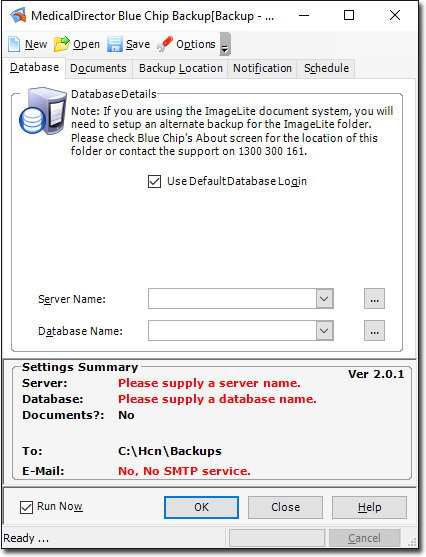
The Backup utility appears, and you are presented with the Database tab. On this tab you will indicate the name of the server computer on which your Bluechip database resides, and the name of the database you want to backup. Continue to Step 4.
-
Select the server that contains the Bluechip database you
want to back-up. Note that you may have to click the
 Ellipsis to refresh the list of available servers.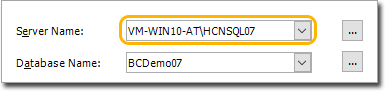
-
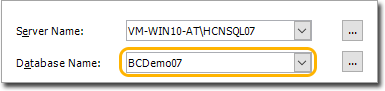
With your server selected, indicate which Bluechip database you want to back-up.
Normally there would only be one database to select from, unless you run multiple Bluechip practice
databases.
-
Include the ImageLite Documents folder.
- To locate your ImageLite documents folder (if you don't already know it), within Bluechip select . The window that appears will indicate the ImageLite documents folder location.
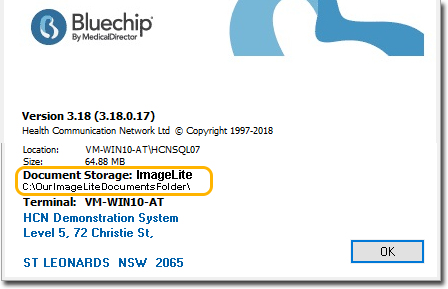
- To include this folder in the backup, select the
Documents tab, click Add and
indicate the location to your ImageLite documents folder.
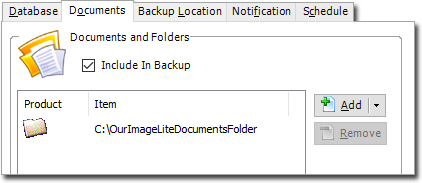
- To locate your ImageLite documents folder (if you don't already know it), within Bluechip select . The window that appears will indicate the ImageLite documents folder location.
-
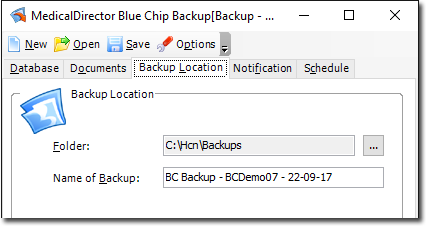
Indicate a location to save to back up to. Select the Backup
Location tab, and then:
- Specify the location for the backup. A default is offered.
- Specify a name for the backup.
-
-
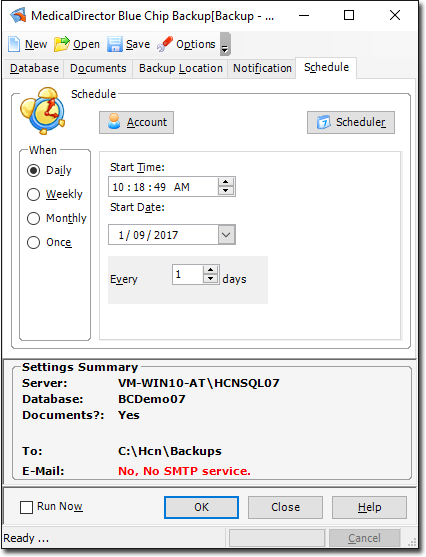
Schedule a time for the Backup to commence. By default, the Backup Utility assumes
you want to perform the backup immediately. However, you can schedule the backup to
occur at another time.
- If you want to run the backup now, go directly to Step 9.
- If you want to schedule the backup, locate and untick the Run
Now check box at the bottom-left of the window. The
Schedule tab becomes available. Configure a backup
schedule to suit your practice.
-
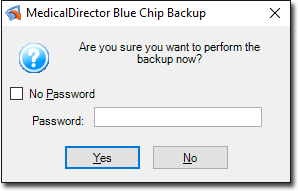
You will be prompted to confirm that you want to backup Bluechip (either now or according to your schedule), and offered the opportunity to password-protect the backup. Such backups require the password to restore them.
If you choose to enforce password protection, ensure that you can be contacted if the situation arises where the backup needs to be restored. Alternatively you might consider sharing the password with another person of authority from your practice.
-
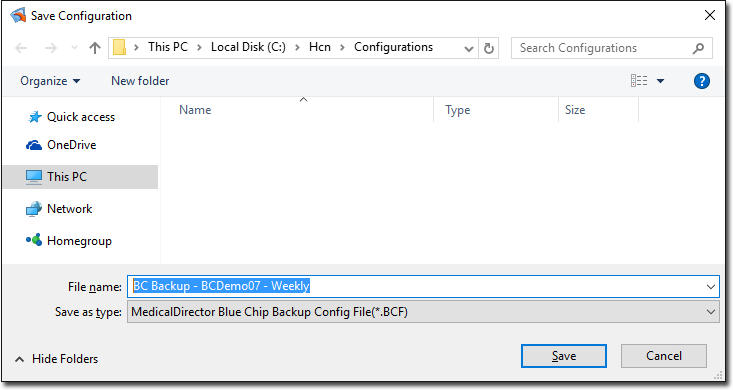
(Optional) If you have made changes to the backup settings beyond the default, you will be prompted to save this configuration.
- It is recommended that you name each type of configuration differently to differentiate one from another. For example, in the image below we have indicated that this configuration is for our "Weekly" backup (as opposed to a "Daily" backup, or an "Ad-Hoc" backup).
- It is recommended that you name each type of configuration differently to differentiate one from another. For example, in the image below we have indicated that this configuration is for our "Weekly" backup (as opposed to a "Daily" backup, or an "Ad-Hoc" backup).
-
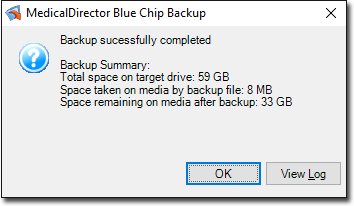
If you have chosen to backup now, the backup commences. You will be notified upon
its completion.
Alternatively, if you have chosen to schedule the backup for later, simply click Close to close the backup utility.