Configure Yomani EFTPOS devices for use with Bluechip.
Procedure
-
Select .
-
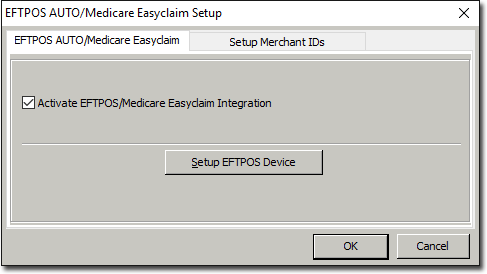
In the EFTPOS AUTO /Medicare Easyclaim Setup window, tick
the Activate EFTPOS/Medicare Easyclaim Integration check
box.
-
Click Setup EFTPOS Device.
-
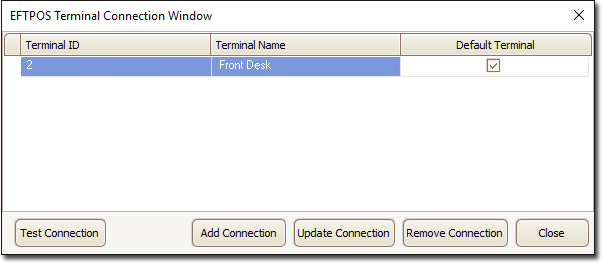
In the EFTPOS Terminal Connection window, click
Add Connection.
-
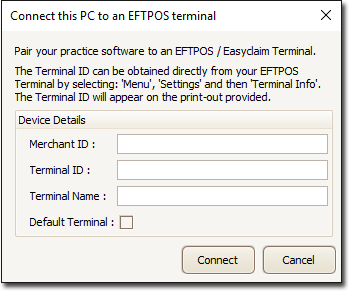
In the Connect this PC to an EFTPOS Terminal window, enter
the Merchant ID supplied by TYRO; in the EFPTOS Terminal, select .
Note: If your practice has multiple merchants or practitioners,
you only need to enter the first Merchant ID; the system will automatically
connect all other merchants. Each EFTPOS Terminal connected to your network has a
unique ID.
Results
The Yomani EFTPOS device is ready for use with Bluechip.