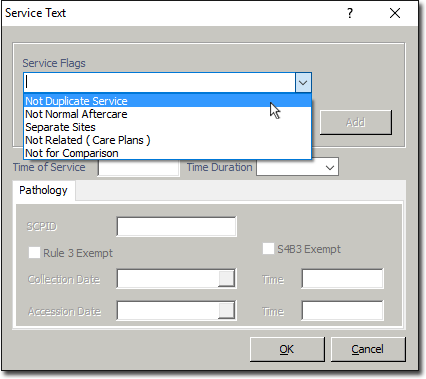
Setting the 'Not Normal Aftercare' Indicator in the Service Text Prompt
Before you begin
If a provided service is not 'not normal after care', when creating an invoice for that service for online claiming (Bulk Bill / DVA/ Eclipse/ Patient Claims), you must indicate that the service is not a normal after care service by setting the 'Not Normal After Care' service flag in the 'Service Text' window.
Procedure
-
To access the service text window, locate the Service Text field for the Service Item you want to record Service Text for, click within the field, and then either:
- click the

button, or - press SPACE + ENTER
- click the
-
The Service Text window appears.