
Step 1: Preparing the Day Surgery Extractor, and Episode Paths in Windows.
Before you begin
Procedure
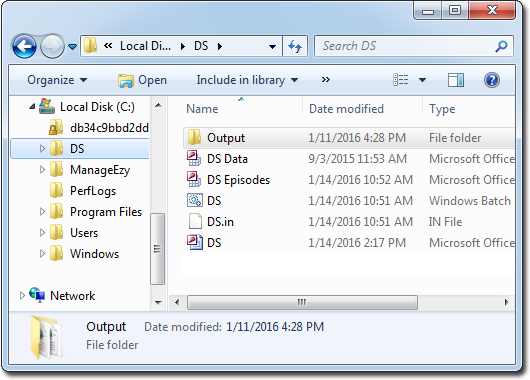
- Locate your Day Surgery program folder. By default, this is located at C:\DS.
-
Within the DS folder, create a new folder called
Output.
-
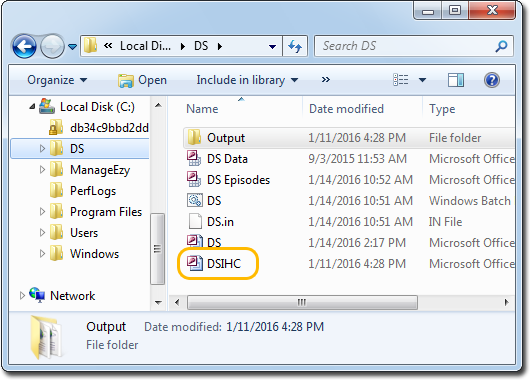
Grab the DSIHC (Day Surgery IHC extractor) file provided by
MedicalDirector, and drop it into the DS folder.
-
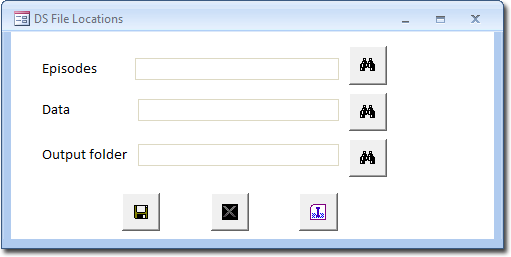
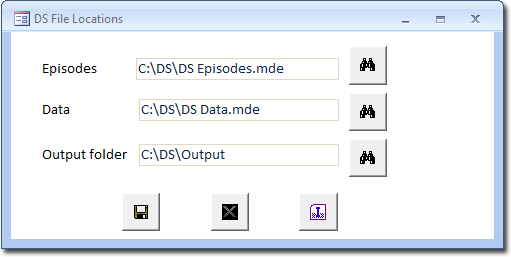
Double-click the DSIHC file. The DS File locations window appears.
-
Locate the Episodes text box, and click its associated
 Search button. The Browse window
appears.
Search button. The Browse window
appears.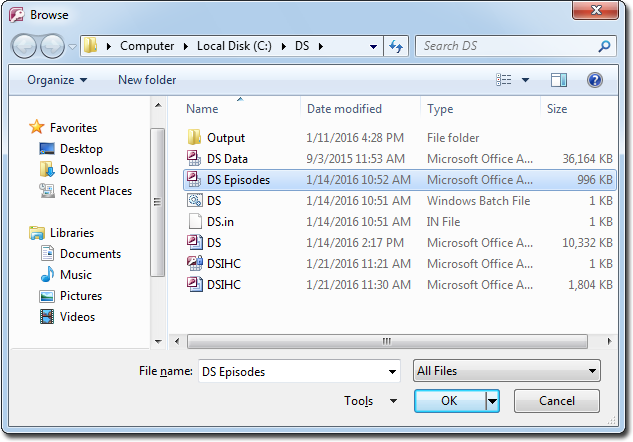
- Locate and select the DS Episodes file in your DS folder.
- Click OK. You are returned to the DS File Locations window.
-
Select also the paths for both the Data and Output folders.
-
Click
 Save.
Save.