Bookings Audit Report
Before you begin
Procedure
-
Either
- Click

- Press Ctrl + P
- Select
- Click
-
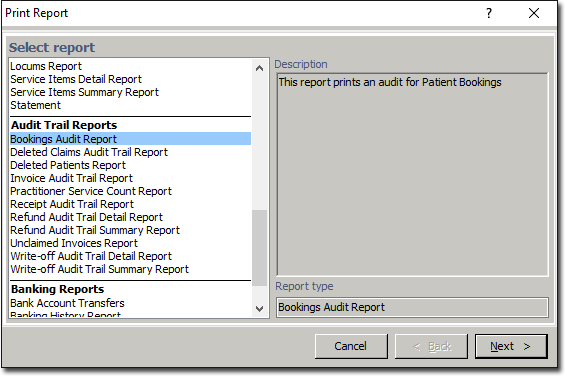
The Print Report window appears.
-
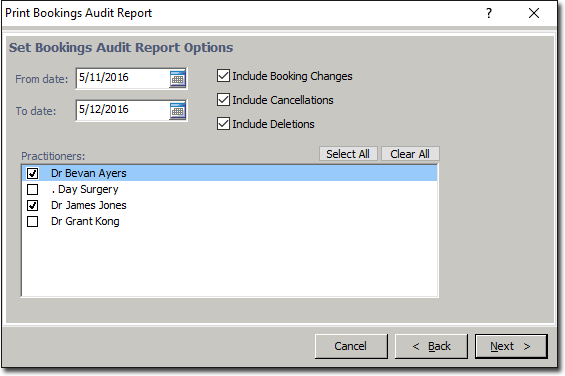
Select one the Bookings Audit Report from the list provided (you may have to scroll down the list to access it), and click Next The criteria window for the selected report will appear.