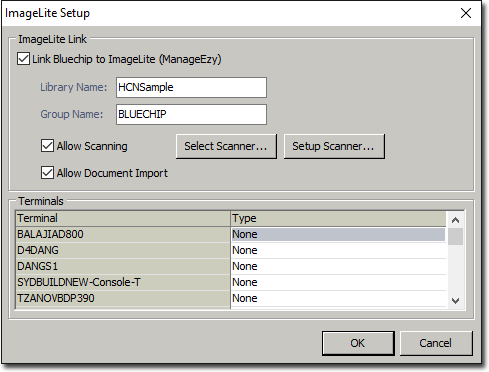
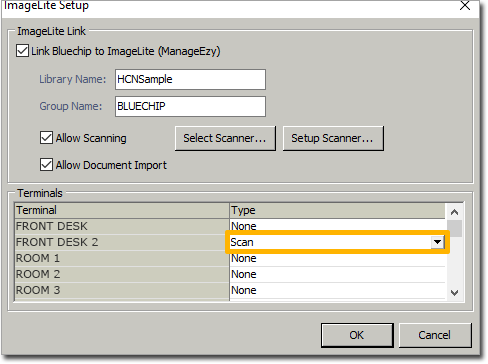
ImageLite Setup For ImageLite Before you begin Procedure Select Setup > Practice > Links > Imaging > ImageLite. The ImageLite > Setup window appears. To Allow Scanning and Document import using ImageLite: Tick the Box: Link Bluechip to Imagelite (ManageEzy). This will now allow you to tick the Allow Scanning and Document Import checkbox. Find the Terminal's name in the list, and change the Type to 'Scan'. Then once you have finished, untick the check box Link Bluechip to Imagelite (ManageEzy) Once complete click OK Results