
Practitioner SMS Setup
Before you begin
Procedure
-
Select the Appointments tab.
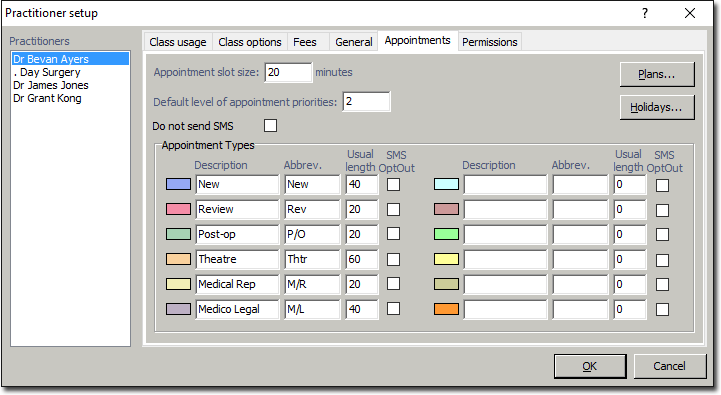
- Tick the Do Not Send SMS check box to opt-out altogether, or
- Opt-out of sending SMS Reminders for certain types of appointments, by ticking the SMS OptOut check box for each Appointment Type.