
Stage 11: Transmitting In Hospital Claims
Before you begin
Procedure
- In Practice Explorer select Medicare Australia from the menu on the left side of the screen.
-
Via the Claim Status drop-down menu, select 'Ready to
Receipt'. A list of all claims will appear that are ready to be receipted.
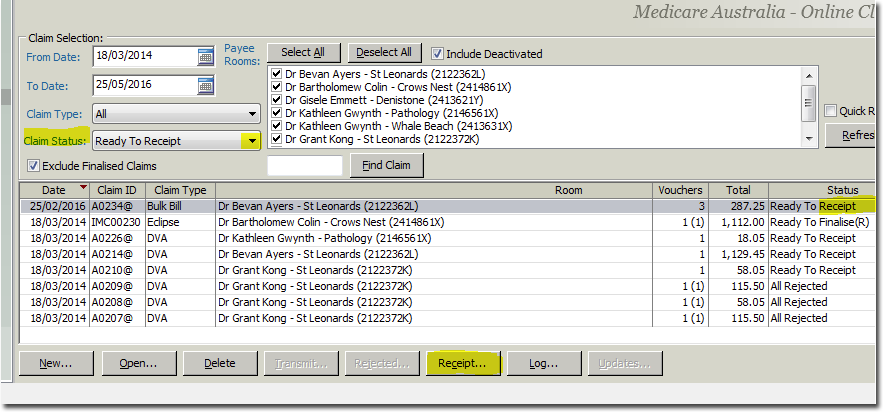
- Select a claim and click Receipt at the bottom of the screen. If there are any items within this claim that require any action other than receipting, you will be prompted at this stage to process these items first.
- If the item/s are all paid with no queries or rejections, click OK within the Receipt window.