
Step 2: Configuring Day Surgery within Bluechip
Procedure
-
Within Bluechip, select . The Day Surgery Setup window appears.
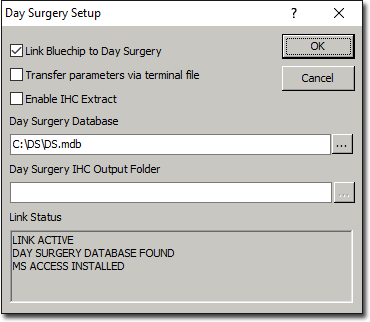
- Tick the Enable IHC Extract checkbox.
-
Locate the Day Surgery IHC Output Folder path, and click
 Ellipsis.
The Browse for Folder window appears. The
Output folder you created earlier should be selected
automatically. If it is not, locate and select it now.
Ellipsis.
The Browse for Folder window appears. The
Output folder you created earlier should be selected
automatically. If it is not, locate and select it now.
-
Click OK. The link to your Output
folder now appears within the Day Surgery IHC Output Folder
path, as shown in the example below.
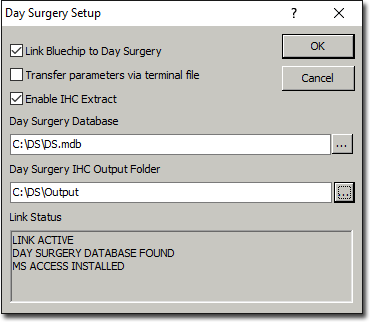
- Click OK on the Day Surgery Setup window to save these settings.