Ensure you have created an Invoice for Inpatient Medical Claiming.
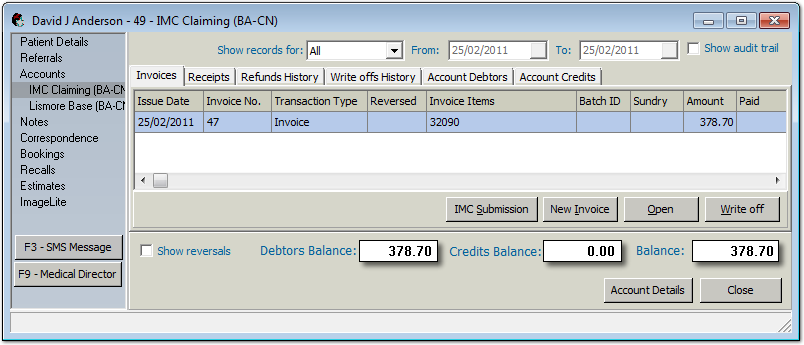
When you are ready to issue the invoice, click IMC
Submission. The New Inpatient Medical Claiming
(IMC) window appears. From this
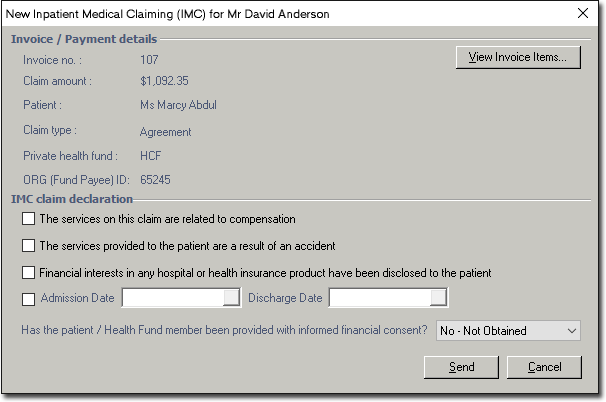
window you may:
View a list of invoice items
Indicate IMC Claim Declarations (optional)
Record the Admission/Discharge Dates (optional)
Indicate that the patient / Health Fund member has been provided with informed financial consent via the associated drop-down list. Consent is required for successful IMC processing via ECLIPSE.
Click Send when you are ready to proceed.
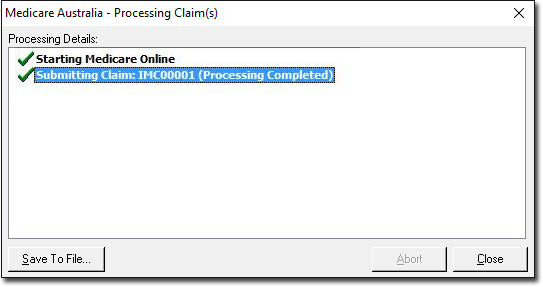
Results
By default, claims are transmitted immediately. However, if for example your Internet
access is not available at the time, claims are held in a pool awaiting manual transmission
later. All claims, whether transmitted or awaiting transmission can be found in the IMC
Online Claim window.