
Print the In Hospital Claim Processing Report
Before you begin
Procedure
-
The processing report can be printed by selecting the claim and clicking
 Print at the top left
of the window. The Print Report window appears. Select
In Hospital Claim Processing Report.
Print at the top left
of the window. The Print Report window appears. Select
In Hospital Claim Processing Report.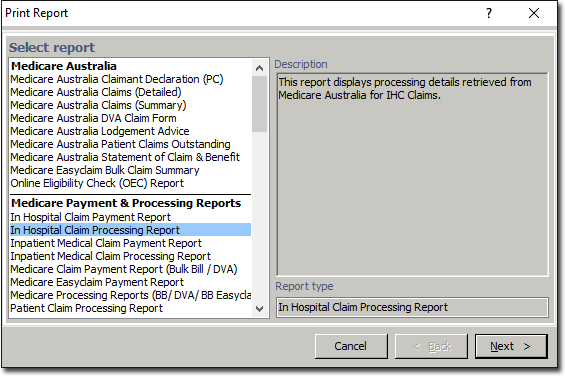
-
Click Next You will be prompted with print options for the report.
- If you choose to include deleted claims, they will be printed in italics.
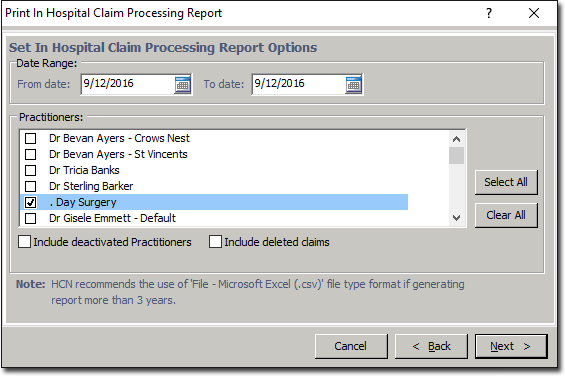
- If you choose to include deleted claims, they will be printed in italics.