
Configuring your proxy to send scheduled SMS messages
Register your proxy server so it can send SMS messages to patients.
Procedure
- Within Bluechip select .
-
Select the SMS Scheduler tab.
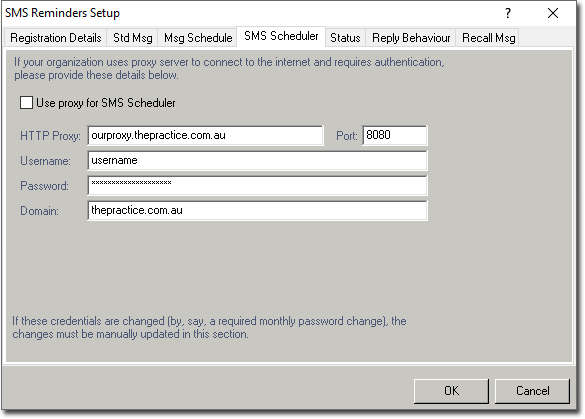
- Tick the Use Proxy for SMS Scheduler check box. The remaining fields will become active.
- Enter your proxy server's details. Consult your System Administrator if you need assistance obtaining this information.
- Click OK on the SMS Reminders Setup window to save your settings.