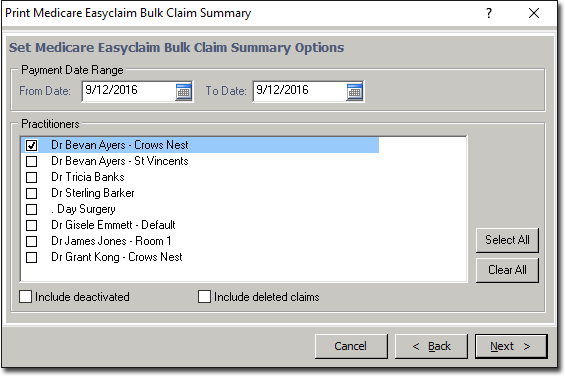
Medicare Easyclaim Bulk Claim Summary Report
The Medicare Easyclaim Bulk Claim Summary Report summarises the transmission history of selected claims.
Before you begin
This report provides the details of each selected claim and summarises its transmission history. For each claim, you can see the date on which each step in the claim process has taken place. Where there is a '-' in the cell, this means that this step has not taken place with this claim.
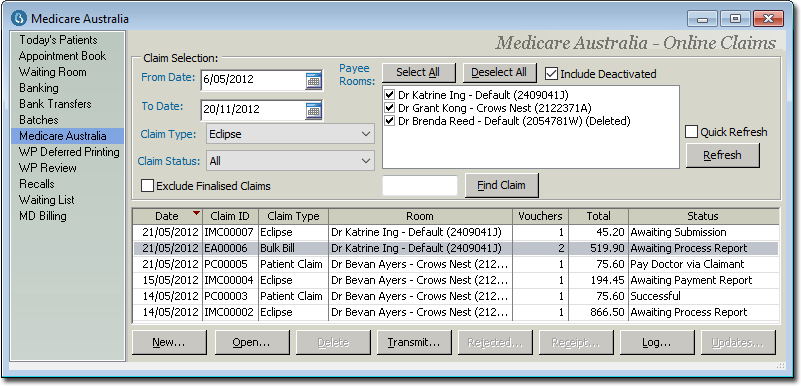
All claims shown in this report are included by virtue of their having been highlighted in the Medicare Online Claims window in Practice Explorer, when the report was printed. Data included in the report is as of the date and time at which the report is printed.
Deleted claims are displayed in italics.
Procedure
-
Select Medicare Australia from within the Margin Menu.
-
In the Medicare Australia - Online Claims window, either:
- Click
 Print
Print - Press Ctrl + P
- Select
- Click
-
In the Print Report window, select Medicare
Easyclaim Bulk Claim Summary from the Medicare Australia
category.
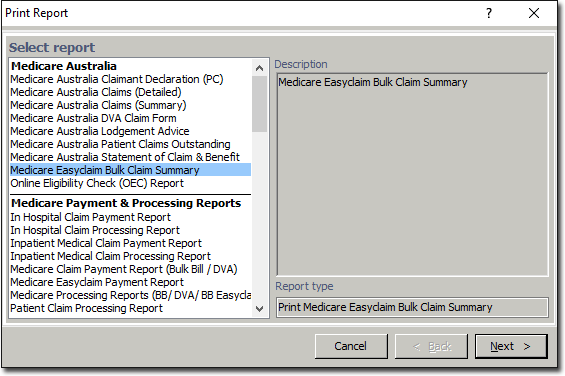
Notice that because this window was called whilst the Medicare data was in view in the Practice Explorer, Medicare reports are now available, where they would not normally appear. -
Click Next when you are ready to continue. You will be prompted to select options for the printed report.