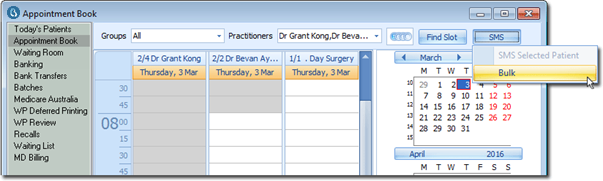
Starting the Wizard Before you begin Procedure Open Practice Explorer and select Appointment > Book from the margin menu. Locate and click SMS, and select 'Bulk' from the menu that appears. The Bulk SMS Wizard appears. The first page of the wizard is an introduction and prompts the user to click Next Pressing ESC should cancel the wizard at this point. Proceed now to Step 1: Selecting and Editing the SMS Message Results