
Today's Patients Window
The Today's Patients window lists the patients who have appointments for the current date.
The list of patients can be sorted in alphabetical order, by File Number or by Practitioner by clicking on each of the related column headings. You can also filter the list to display patients for a particular Practitioner via the Practitioner drop-down list.
You can also view appointments for other days via the Date mechanism at the top of the window. Note that you can always quickly switch to today's list by clicking Today.
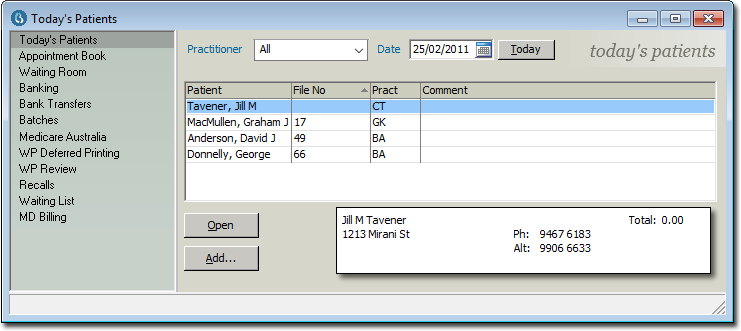
| Items of interest on this window | |
| Today | Resets the calendar control to the current date. |
| Open | Open the record of a selected patient. |
| Add | Add a new patient to the list of today's patients. You will be
prompted to select the patient,
after which the Add Patient window appears, as shown
below.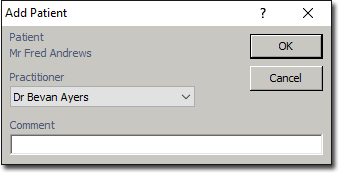 Select the practitioner who will be seeing this patient, and enter a comment if you desire. Click the OK button to confirm your selections. You can now view this patient in the Waiting Room, where you can indicate their current visit status. |