Cancel or delete the selected patient's bookings.
Procedure
-
Ensure you have opened a patient's record and are viewing the Patient Explorer.
-
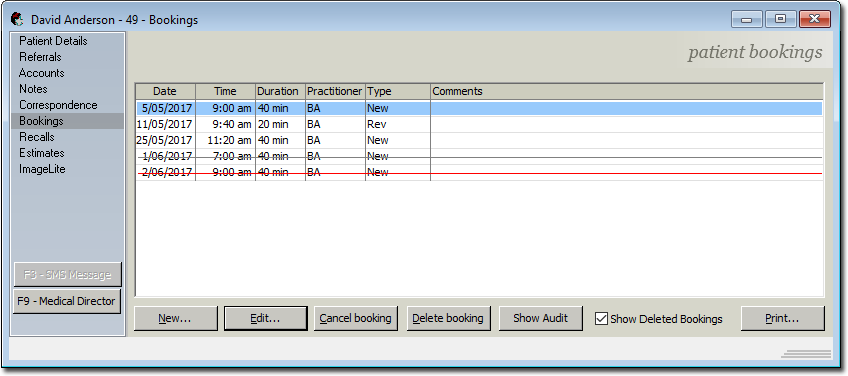
Select Bookings.
-
In the Patient Bookings window, select the booking you want
to cancel or delete.
- To delete the booking, click Delete booking. You will
be prompted to confirm this action. The deleted booking is removed from the
Bookings window and the Appointment Book. You can show
deleted bookings by ticking Show Deleted Bookings.
Deleted bookings are displayed with a red
strike-through.
- To cancel the booking, click Cancel booking. You will
be prompted to confirm this action. The cancelled booking will remain in the
list but is displayed with a black strike-through. Cancelled bookings are still
visible from the Bookings window but their corresponding entries in the
Appointment Book are removed entirely.
Results
The selected booking is cancelled or deleted.
