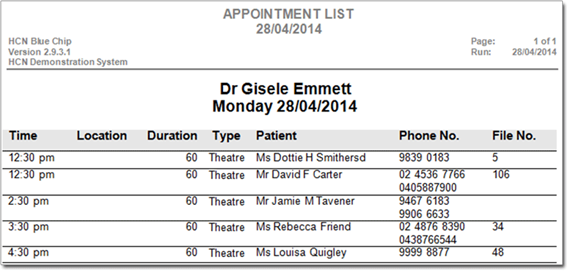
Print the Theatre List
Bluechip provides a report that will generate a Theatre List from the Appointment Book with the appointment type (preference) Theatre.
Before you begin
About this task
This can be generated per-practitioner with or without comments.
Procedure
- Within Bluechip, select .
- In the Print Report window, locate the General non-financial Reports section, and then either the Appointment List (no comment) or Appointment List (with comment) report.
- Click Next.
- In the Print Appointment List window, in the Set Appointment List Options screen, select the appropriate Practitioner.
- Select the as Theatre.
- Click Next.
- In the Set Print options screen. select Printer or Screen.
-
Click Next.