
Practitioner Screen Setup
Customise appointment types for individual practitioners.
Before you begin
Procedure
-
Select , select the practitioner, and then select the
Appointment tab.
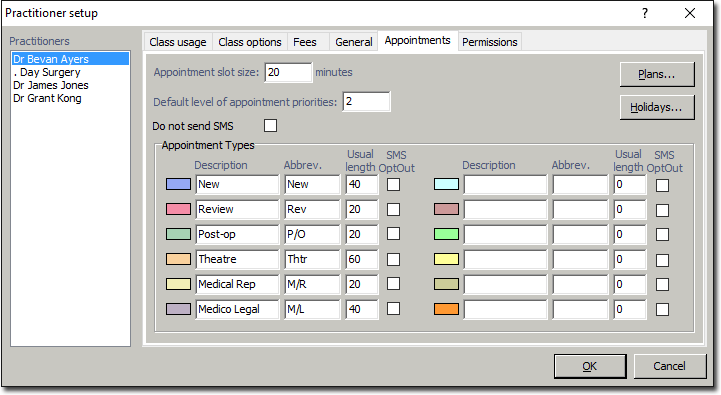
- Within the Appointment Slot Time field, record the shortest appointment duration the Practice has in its Appointment Book.
- Enter the number of Default Level of Appointment Priorities required. This determines the number of priority levels that can be chosen from the drop down list when scheduling an appointment.
- Tick the Do not send SMS option if SMS is not required for any Appointment Book function for this practitioner. An SMS opt-out option is also available for each Appointment Type.
- There are 12 Appointment Types fields available to customise. Add or edit the Type Description, Abbreviation, and Usual Length for the appointment types needed by this practitioner.